Scenes and timecodes
The video’s breakdown, with the length and pacing of each sequence.

Storyboard lays out every scene, speaker and moment of a video, so you can prepare, select and brief without scrubbing.
Storyboard is the Aive Studio module that generates the storyboard of a video already produced. MGT splits the video into scenes and gives each its timecode, shot type, narrative role (hook, product, proof, demo, call to action), speakers, products, on-screen text, voice and dominant emotion. The storyboard is the basis for recutting, versioning, checking and reusing the video.
The video split into shots on the timeline, analysed by the AI Copilot: reformatting, creative diversity and variations are prepared from this reading.
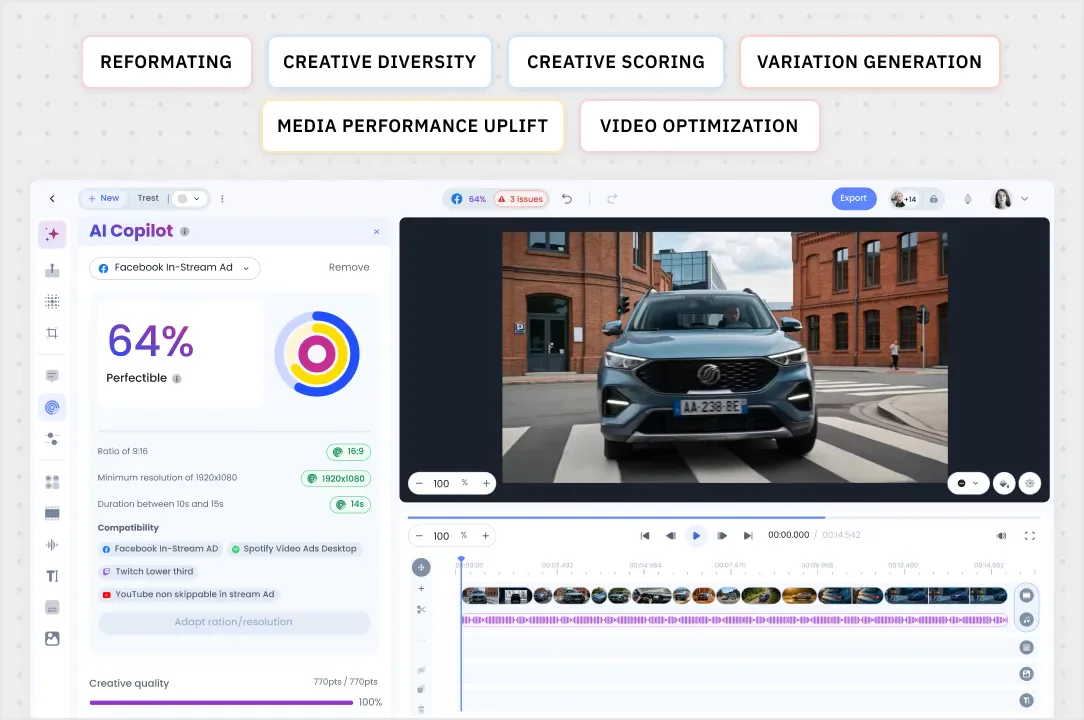
The video’s breakdown, with the length and pacing of each sequence.
Close-up, wide shot, packshot, testimonial: the visual language used.
Hook, product, proof, demo, call to action.
Who speaks, which product appears, and when.
On-screen text, transcript and dominant emotion of each scene.
The statements spoken, linked to their timestamped moment: the basis for citable content.
Build a 6, 15 or 30s cut-down from the right scenes.
Verify the narrative order, brand presence and mentions.
Share a master’s structure with an agency or an editor.
Find the product scene or testimonial to reuse in a catalogue.
No. Storyboard starts from an existing video and lays out its structure. It is used to understand, recut, version and reuse what has already been produced.
Yes. Scenes can be renamed, merged, split or annotated by your teams before being used for a version.
Yes. The sourced statements and timestamped moments identified in the storyboard are the ones Aive GEO uses to produce content answer engines can cite.
A paid Studio pilot, scoped on one use case, deducted from your annual plan.