One source of truth
For brand and agency, on the same version.

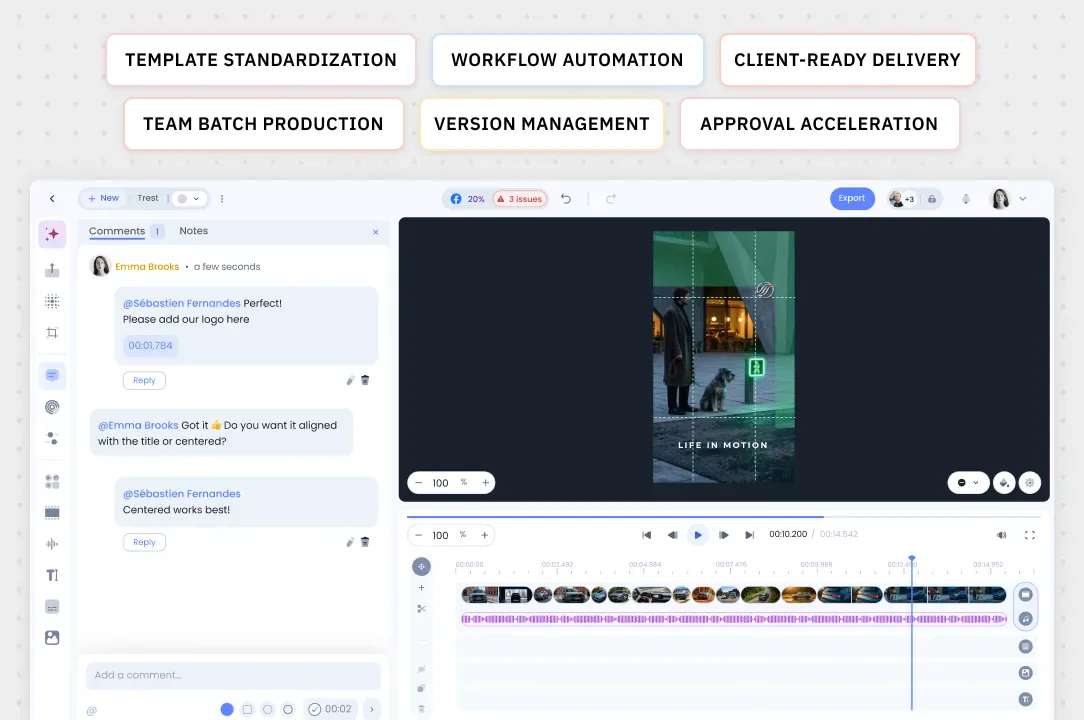
Same rules, one platform, zero friction: comments, approvals and versions live next to the video, and every client workspace stays strictly isolated.
For brand and agency, on the same version.
Feedback pinned to the exact second.
Every client space stays strictly separate.
Workspaces and roles for brand and agency teams.
Comments and approvals on the video, at the right spot.
The same version, in real time, in a SOC 2 Type II environment.
Workspaces, roles and approvals; review and comments right next to the video.
No. Aive starts from your existing masters: nothing needs to be reshot to get started.
Never. We never use our business customers’ data to train our models. The Aive Studio Enterprise offer strictly governs how that data is used and can provide physically separate infrastructure at the customer’s request.
With a paid Studio pilot on your own content, scoped on one use case and deducted from your annual plan.
A live walkthrough on your stakes, then a paid Studio pilot scoped on one use case and deducted from your annual plan.